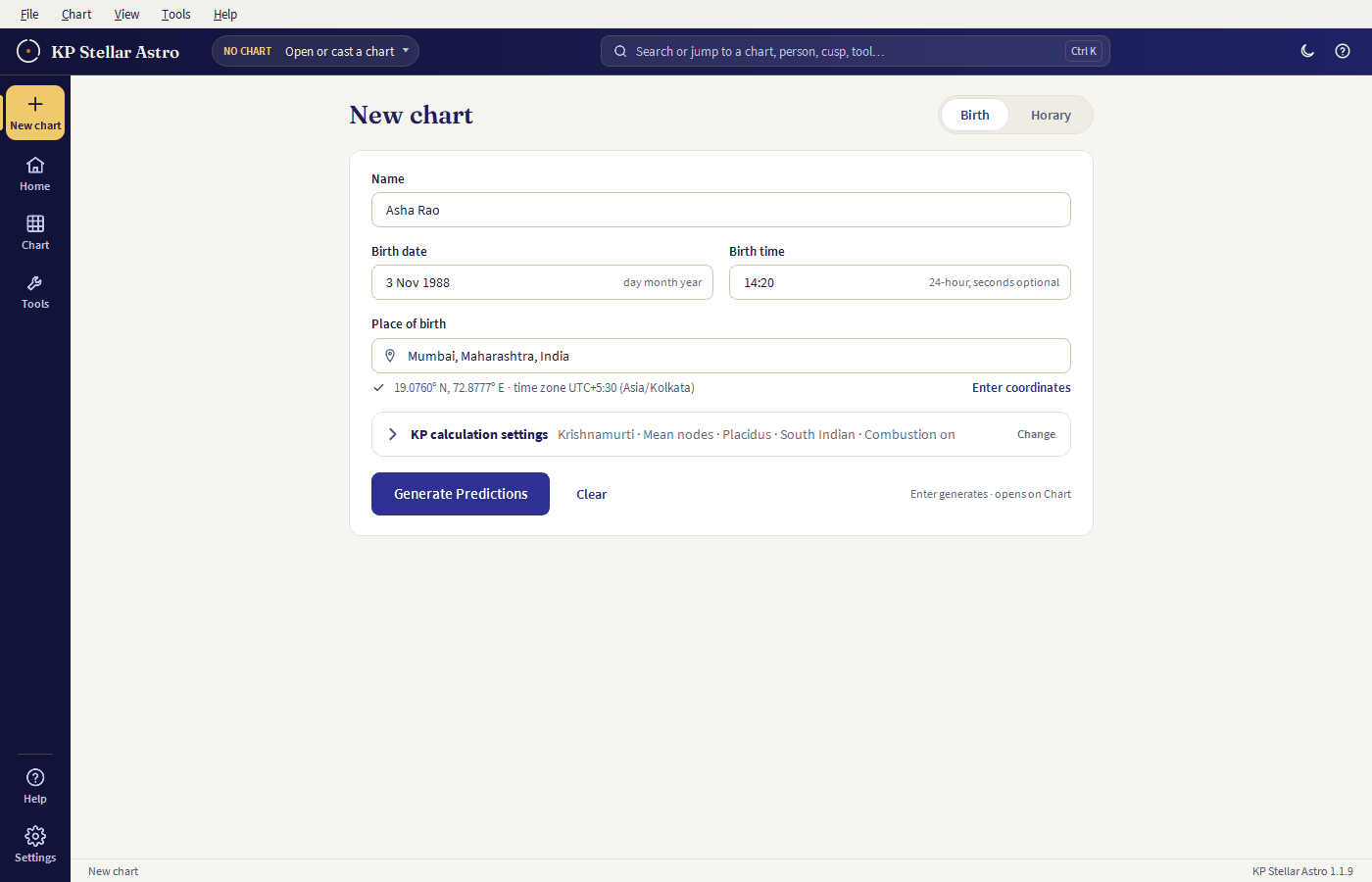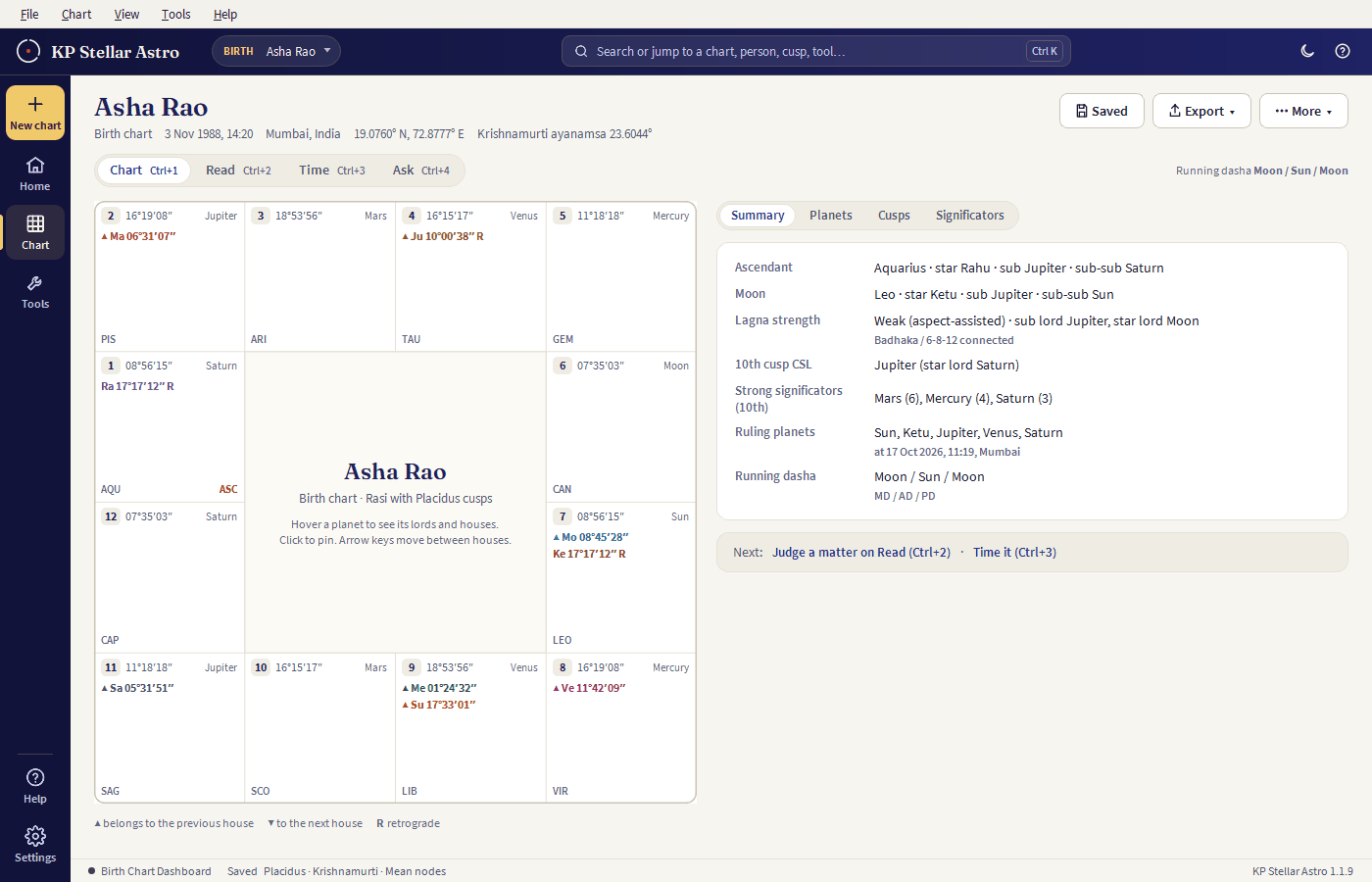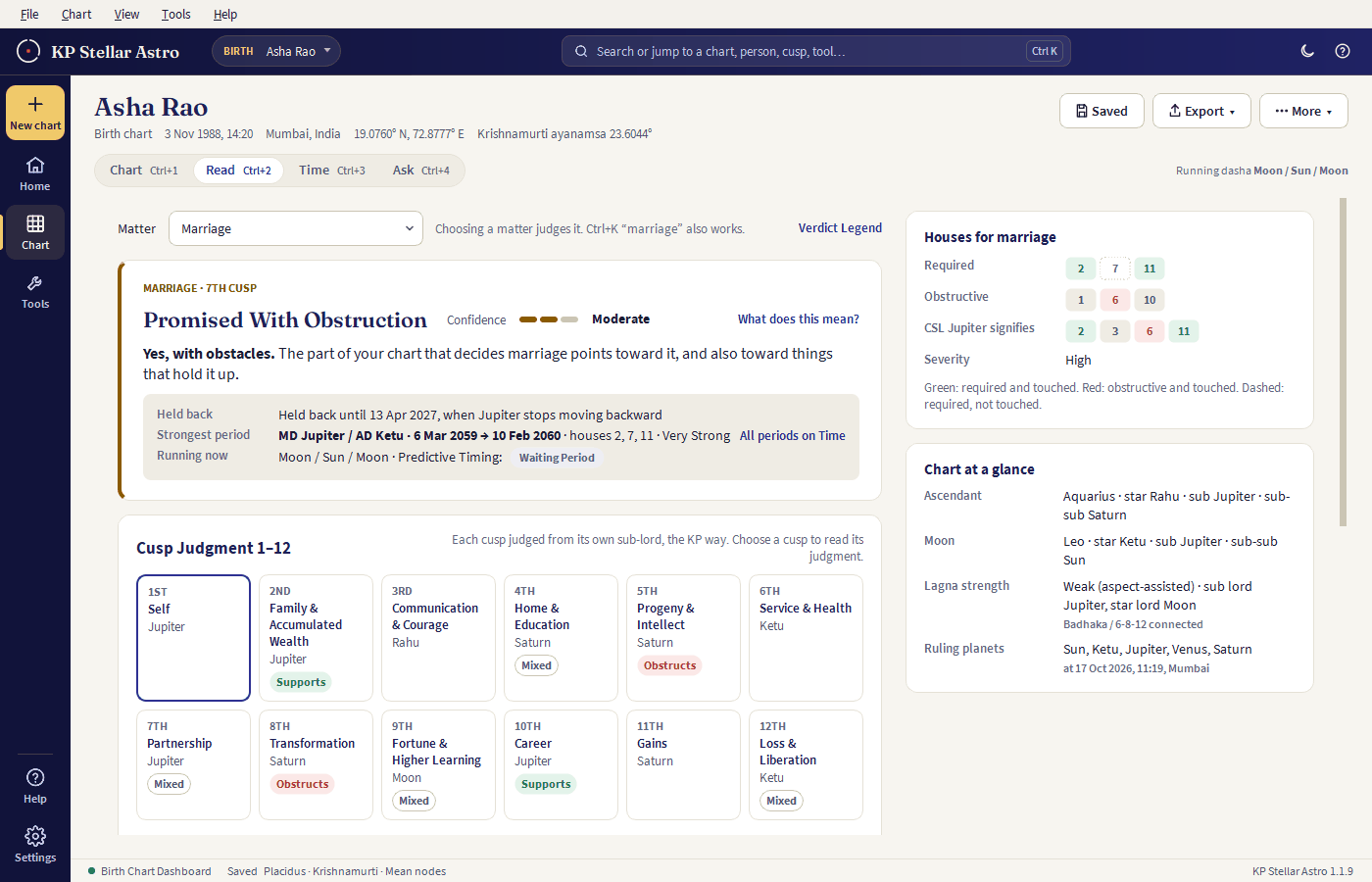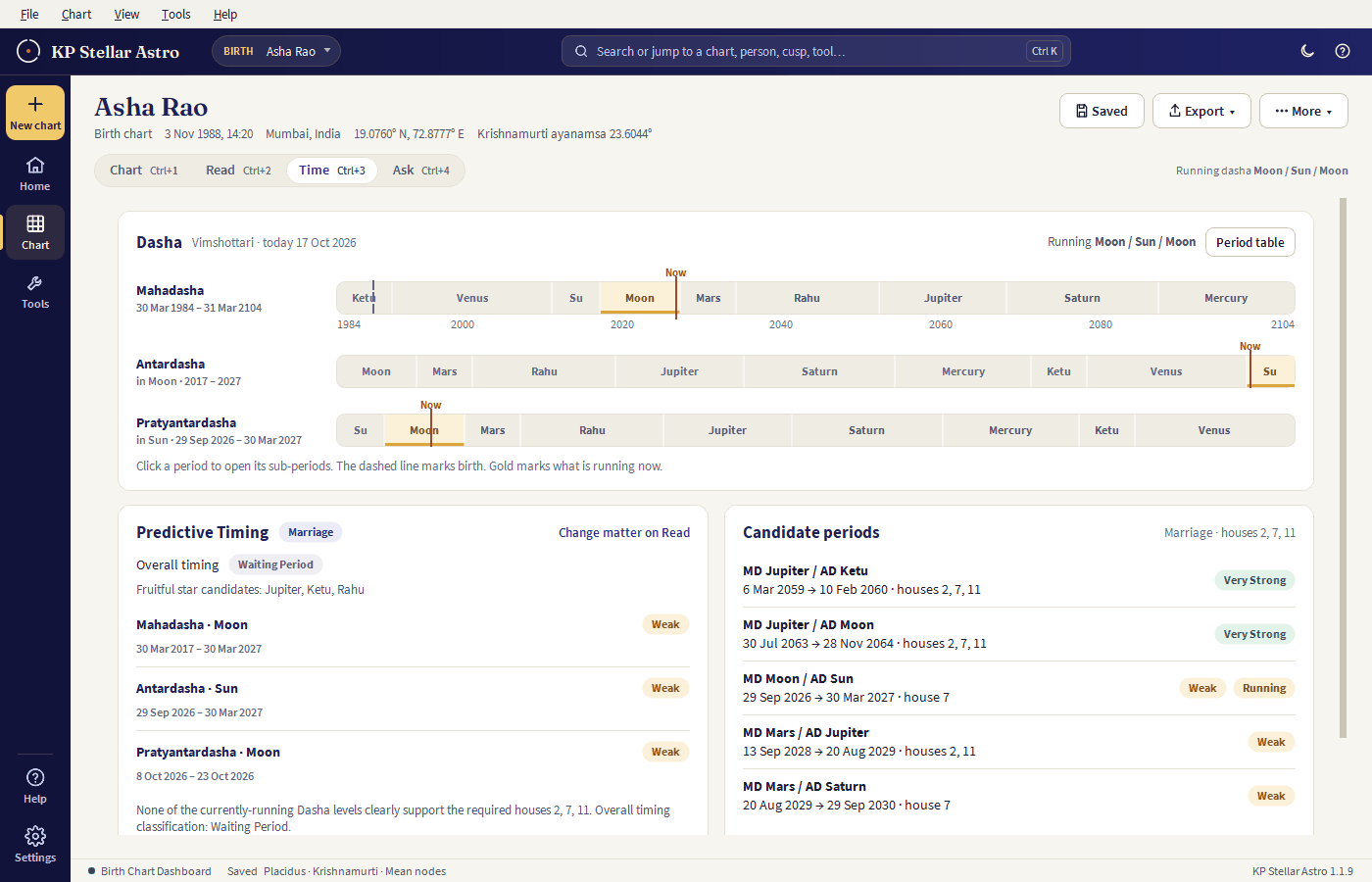
Desktop software
KP Stellar Astro
The full KP engine, offline, on your own machine — birth & horary charts, precise verdicts for the questions people actually ask — marriage, career, health, finance and more — exports to PDF/Word/Excel. One license, no recurring fee.
Checking your license status…
Lifetime access to the current version, with 5 years of free updates included. By purchasing, you agree to the End User License Agreement and Refund Policy.
- Runs on your own machine — no internet needed to cast a chart
- Birth chart, Horary, Muhurtha, Panchang & Compatibility — full KP significator chain
- Export complete reports to PDF, Word and Excel
- One payment, no subscription — pay once, keep it
Your free 7-day trial has ended — buy the license to keep using the app.
Free trial — left. Buy the lifetime license any time to keep working after it ends.
Enter this key in the app's Activate License screen to unlock the premium version on your machine.
—
Admin accounts don't need a key — the app recognises your sign-in directly.
Built for Apple Silicon (M1/M2/M3/M4) Macs on macOS 12+ — not yet notarized by Apple, so the first launch needs one extra step (see "Install, activate & update" below).
Your free-updates window has ended — the app you already installed keeps working, it just won't get new versions until you renew.
Something went wrong on our end.
Support will contact you within 48 hours — we've already been notified. If it's urgent, email support@kpstellarastro.com and mention the account this license is on.
What's included
The same KP engine as the cloud app, running locally — every module, one license.
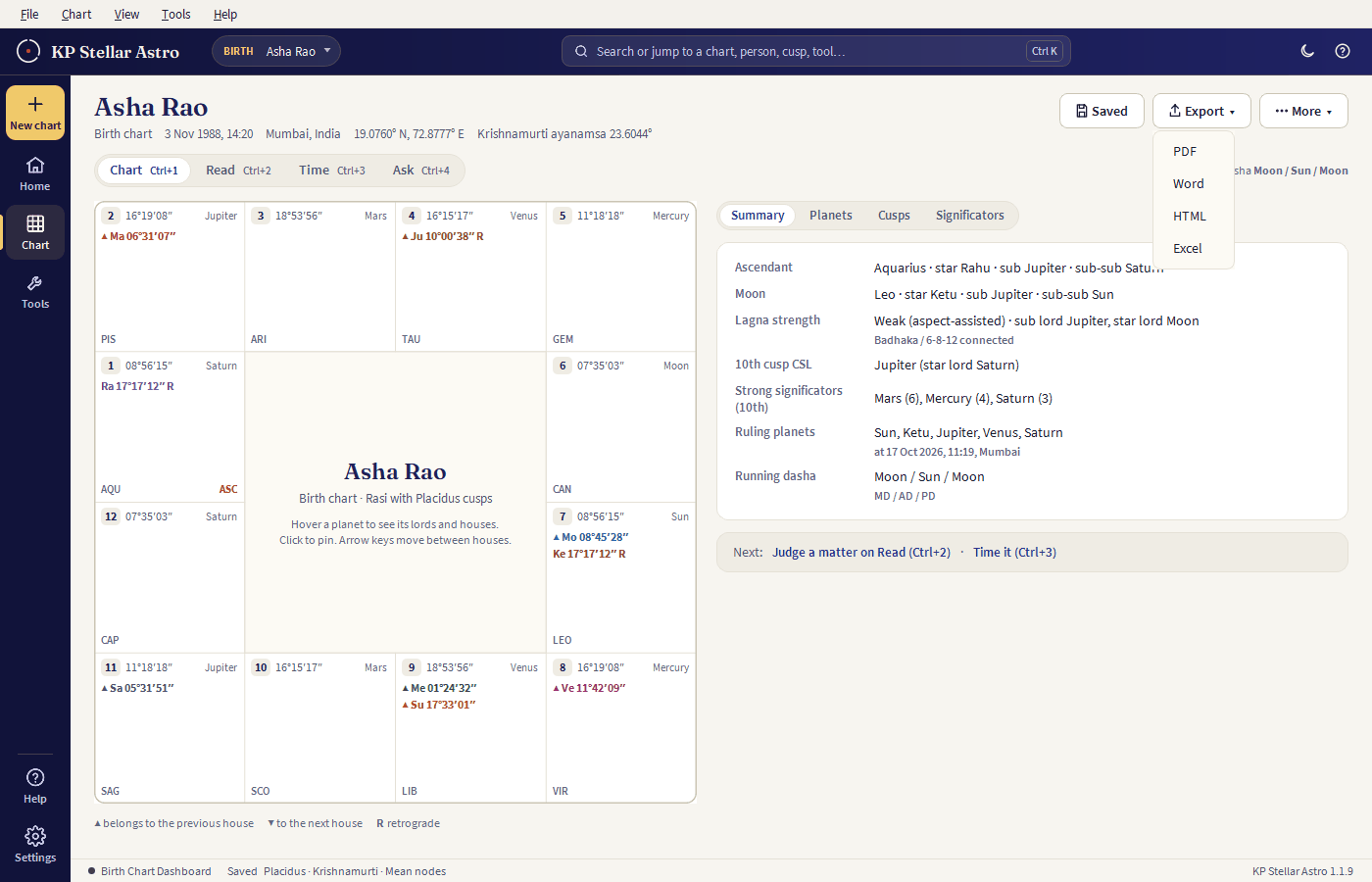
Full KP birth chart, significators, Vimshottari Dasha, Ashtakavarga, and precise verdicts on the questions clients ask most — marriage, career, health, finance and more.
1–249 horary judgment with the full KP significator chain, same verdict logic as the site.
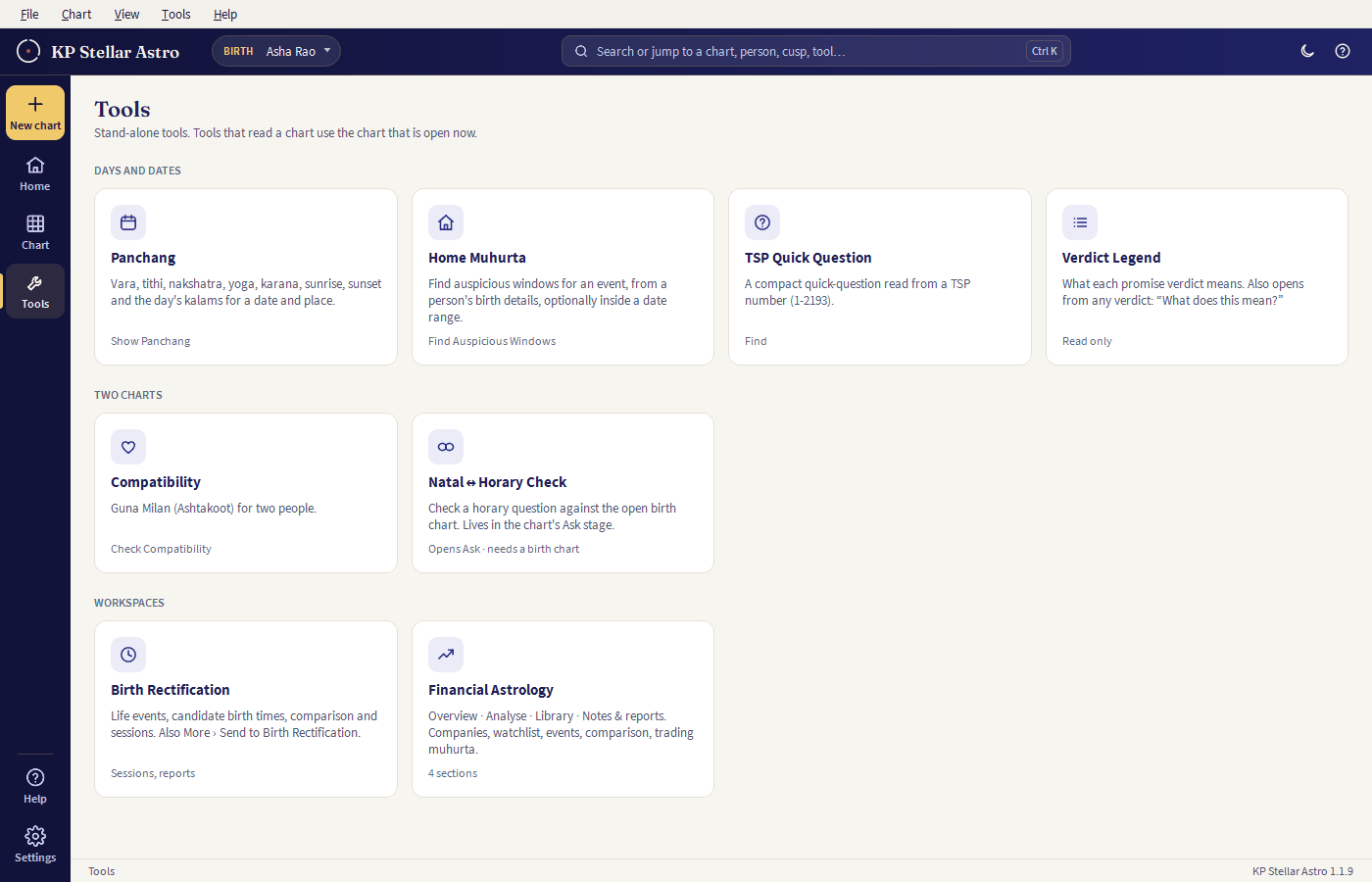
Auspicious-date finder for personal events (marriage, property, business and more) — same KP promise + dasha-timing search as the site, plus Panchanga, Tarabala and Hora cross-checks.
Daily Panchang — tithi, nakshatra, yoga, karana, Rahu Kalam and Abhijit Muhurta for any date and place.
Classical 36-point Ashtakoot (Guna Milan) matching between two charts' Moon sign and nakshatra.
Export any chart to PDF, Word or Excel — save clients' charts and reopen them any time.
Install, activate & update
Four steps, all on this page, no separate setup guide to hunt for.
Windows: run the downloaded KP-Stellar-Astrology-Setup.exe — a normal installer
(Next → Next → Finish), which adds a Start Menu entry, an optional desktop shortcut, and a proper
uninstaller under "Add or Remove Programs." Windows may show an "Unknown publisher" warning the first
time (the app isn't yet code-signed) — choose More info → Run anyway.
macOS: unzip the download and drag KP Stellar Astrology.app
into your Applications folder. The app isn't yet notarized by Apple, so the first launch needs one extra
step: right-click (or Control-click) the app → Open → Open — this only has to be done once.
Double-clicking it normally the first time will show "cannot be opened" instead.
On first launch, paste your license key (shown above, and in your purchase email) into the Activate License screen. This needs an internet connection once; after that the app works fully offline. The key is locked to this one machine — email support@kpstellarastro.com if you need it moved to a new computer.
Charts, clients, and settings are saved locally in a database folder inside the install
folder — nothing is uploaded anywhere. Back that folder up yourself if you want a copy elsewhere; it
isn't synced to your account.
The app checks for new versions on startup and tells you when one's available. To update: download the
new installer from this page and run it — it installs over the existing copy the same way the first
install did, and your database folder is untouched, so your saved charts and clients stay
exactly as they are. If your free-updates window has lapsed, the download button will ask you to renew
first (same price, see the note above). Only the current version is ever offered for download —
once a new release goes up, the previous one isn't kept, so update promptly rather than relying on being
able to fetch an older build later.
System requirements
Nothing else to install — everything the app needs is inside the download.
Windows 10 or 11 (64-bit), or macOS 12+ on Apple Silicon (M1 and later — not yet built for Intel Macs). No macOS or Linux build yet.No Linux build yet.
About 270 MB installed (the installer download is ~95 MB) — allow 500 MB free to be safe, more if you'll save many charts locally.
Runs comfortably in 4 GB RAM — any PC that meets Windows 10/11's own minimum is enough.
None. Python, Qt, and the Visual C++ runtime are all bundled inside the download — nothing separate to install first.
Needed once, to activate your license key. After that the app works fully offline — no connection required to cast a chart.
See it running
Real screenshots from the app — not mockups.