 KP Stellar Astro
Sign in
Sign in with your email and password, or use an email link. Then you can connect Google in Settings.
Don't have an account? Sign up
By continuing you agree to our Privacy Policy.
Set a new password
Password changed
Your password has been changed and you're signed in. Other devices have been signed out.
Use email link
We'll email you a link that signs you in on this device, with a code you can type instead.
← Back to sign inUse the device you asked on
Create your account
Use Sign in with Google. To add a password too, sign in and open Settings → Sign-in methods.
Next time, Sign in with Google opens this same account.
Add a way to sign in that keeps working. Your charts, credits and history stay exactly as they are.
Use email and password
← BackSession timed out
You were signed out after 30 minutes of inactivity — this keeps your account secure on shared or public devices.
Choose a new password
You signed in with a temporary password. Choose your own password to continue.
No email or it has expired? Sign out and use "Forgot password".
Staff
Admin sign in
Enter the admin password.
Buy AI Questions
Pick a pack — credits never expire and can be used across Birth, Horary, or any chart's AI Explanation.
Name this
Are you sure?
Propose a Community
Astrology topics only — new communities are screened, then reviewed by an admin before going live.
New Forum Post
Edit Astrologer
Support the Developer 🙏
If this app helps your KP practice, a small contribution keeps it maintained.

Scan with any UPI app — PhonePe, Google Pay, Paytm, BHIM. No processing fee.
Prefer a card, or an emailed receipt?
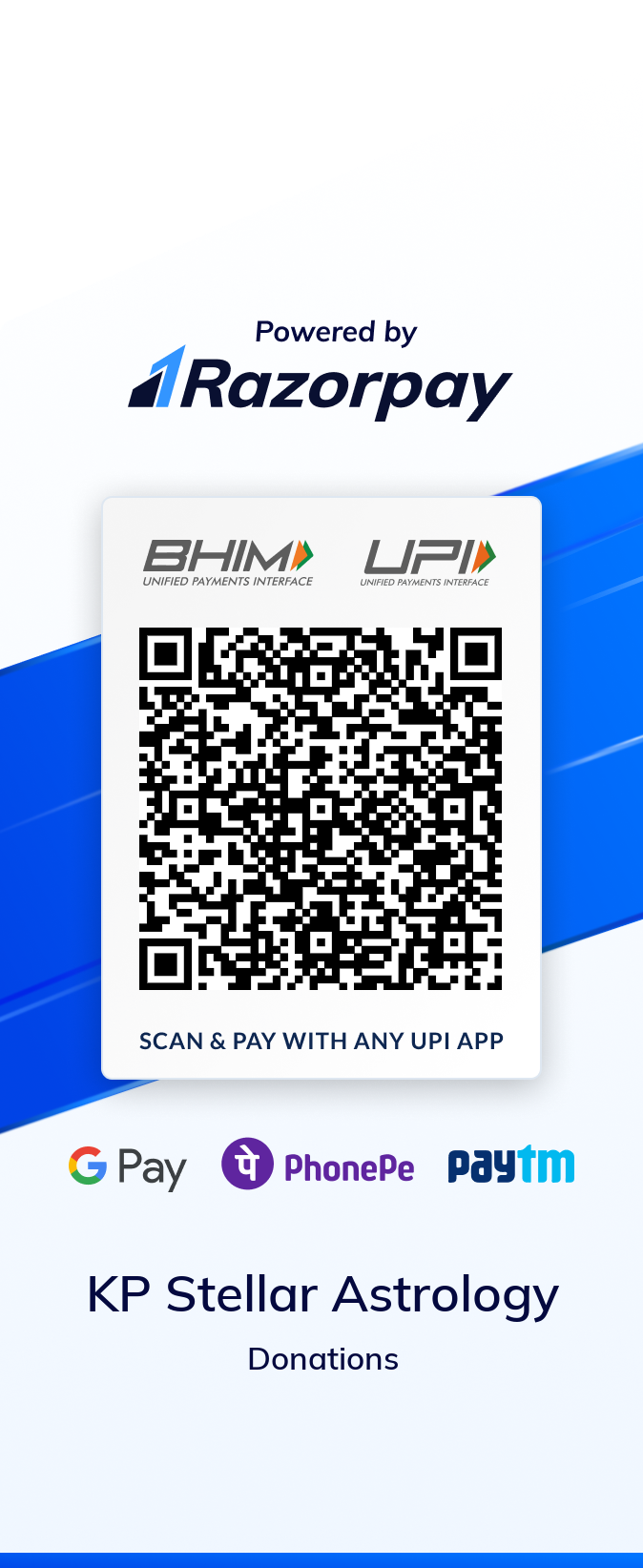
A small processing fee applies (deducted before it reaches us) — this is Razorpay's own official "pay any amount" link, not a third-party page.
Disclaimer
Predictions on this site are generated using Krishnamurti Paddhati (KP) astrological calculations for informational and entertainment purposes only. Astrology is not a scientifically validated discipline, and we make no claim, warranty, or guarantee — express or implied — regarding the accuracy, completeness, or authenticity of any prediction, interpretation, or AI-generated explanation shown here. Nothing on this site constitutes financial, medical, legal, or professional advice of any kind. Any decisions you make based on this content are entirely at your own risk and discretion. Always consult a qualified professional before making important life, health, or financial decisions.
About Us
KP Stellar Astrology started as a side project of my own — I was learning Krishnamurti
Paddhati and kept wishing for tools that made the method less fiddly to practice: an
easier way to build a chart, keep the details organized, and work through a judgment
step by step instead of losing the thread in calculations.
So I built those tools for myself first. Once a few fellow practitioners tried them and
found them useful, the project kept growing — steadily more capable, more careful about
presenting evidence rather than shortcuts, and shaped increasingly around what students
and working astrologers actually need day to day.
Contact Us
Have a question, a bug to report, or feedback on the app? Let us know.
Client
Saved Charts
Rectification Sessions
Verdict Legend
What each KP promise verdict means in plain language.
Register as an Astrologer
Free listing in the Personal Astrologer directory. Your name, photo, and designation are shown publicly; your submission is reviewed by an admin before it goes live.
Saved as your account's display name.
Profile photo
A clear, forward-facing photo. Shown publicly on your listing.
Your listing
How you'll appear to people looking for a consultation.
KP specializations (optional)
Pick the areas you actually practice — shown as filter tags in the directory.
Identity verification (KYC)
A photo of a government ID (Aadhaar, PAN, passport, etc.) — reviewed by our team, never shown publicly. This is what earns the "KP Verified" badge on your listing.
How your listing will look
Admin Panel
All admin tools in one place.
Ask the chart
What do you want to know?
Type your question in your own words and we'll take you to the right tool. Not sure? The tools are all listed below.
Step 1 of 1
Welcome — let's finish setting up
Your account is created. Choose the name shown on your posts, then your dashboard opens.
Write a Testimonial
Share your experience with KP Stellar Astro — an admin reviews it before it appears on the homepage.
Chart math never uses this — it only sharpens the marriage-age window in "Explain My Life Events" (Premium).
Fill the 3 fields above, or tap "🔮 Try a Demo" at the top of this card to see a real result instantly.
Ask about this chart
Ask one clear, specific question (e.g. "Will I get married this year?"). Avoid combining multiple questions or long backstories.
Generate Entity Chart
Company incorporation, IPO listing, exchange opening — any moment used as a financial "birth" chart.
Muhurta for Trading — electional entry/exit timing
Same Key Time Windows engine, framed for choosing an auspicious (Shubh) entry moment. Uses the chart generated above.
Chart Comparison
Compare the chart above ("Original") against a second candidate moment.
Astronomical Events
New/Full Moon, eclipse windows, planetary ingresses, retrograde/direct stations, conjunctions.
Key Time Windows
Predicted trading windows from your own KP chart of each instrument, marked against real price. Green means price is moving the way the window was called, red means against. A window that has not started yet is simply a plan.
This view calls your broker with your credentials and counts against your daily limit — never the operator's. Without a saved token the windows still appear; they simply cannot be marked against price.
This tab makes no broker call at all — a window that has not started has no price yet — so it works with no token saved.
Connect your own broker account to have your windows marked against live price. Register an API app with your broker, enter its key and secret below, then click Save & connect — you sign in on your broker's own page and come back connected. You never generate or paste an access token.
Window Backtest?
Measured against real prices. The engine generates the windows it would have shown at each historical moment; those windows are then scored against actual market data. Directional accuracy is compared with a matched control — random periods of the same duration, weekday and time of day — because most instruments drift upward and a raw hit rate flatters any bullish call.
Windows that have not started yet — so you can plan the trade before the date passes. Sorted by date across every instrument, with the exact times to enter and to exit. This tab makes no broker call at all: a future window has no price yet, so it needs no token and spends no quota.
Generating this tomorrow gives the same answer. Window times come from the Dasha tree and never move, and the strength tier is ranked against a span fixed by the calendar year — not against a window that slides with today's date — so a saved plan still matches the panel when you regenerate it. The one scheduled change is at New Year, when the span rolls forward.
The first load builds each instrument's chart and can take up to a minute; after that it is near-instant. The look-ahead is capped deliberately — every window inherits its chart's assumed founding time, and that uncertainty widens the further out you project, so a long list of confident-looking future dates would oversell a hit rate measured near 50%.
The windows for right now, marked against today's actual price. A window that has started is green while price is moving the way it was called and red while it is moving against — provisional until it closes. Nothing on this tab is saved: it is recomputed on every refresh, so it is an observation, not a track record. The measured hit rate lives on the Intraday and Positional tabs, and it is close to 50%.
Off by default — tick it to start. Auto-refresh is opt-in rather than automatic: every refresh is a real broker call against your own quota, and a group page is one call per instrument, so a page left open should not quietly spend the day’s limit. Once ticked, it refreshes every minute while the market is open, and every 5 minutes when it is closed so it wakes up at the open by itself. It pauses whenever you switch away from this tab or hide the browser window — each refresh is a real broker call against your own quota, and a forgotten tab would spend the day's limit on a screen nobody is watching. Without a valid token the windows still show; they just stay uncalled.
A run makes dozens of broker calls and takes a few minutes. The result is saved, so it can be re-opened without re-running.
Disclaimer:
Not investment advice — and we are not SEBI registered
KP Stellar Astro is not registered with SEBI as an investment adviser or a research analyst, and nothing on this page is investment advice. Financial astrology is a traditional study of timing, not a financial service: the windows, bands and scores here describe astrological conditions only. They are not a recommendation to buy, sell or hold any security, and not a forecast of any price.
We tested this ourselves, and this is what we found. Across 19 years of daily NIFTY prices and three years of minute-by-minute prices, these windows performed no better than chance: measured against random periods of the same length, weekday and time of day, a directional call here was right about as often as a coin toss. We show them because KP timing is a traditional study with a long history — not because we have evidence that they predict prices.
Any decision you take on the basis of this page is entirely your own and taken at your own risk. Markets move for many reasons no chart accounts for. KP Stellar Astro and its contributors accept no responsibility or liability of any kind for profit, loss, cost or damage arising directly or indirectly from the use of this page. Please consult a SEBI-registered investment adviser before making any financial decision.
Birth Rectification — test a candidate birth time against known life events
Automatically tests candidate times back and forth around the recorded time, minute by minute, and jumps straight to whichever one best matches your recorded life events. No manual nudging needed. If you trust your recorded time to within a few minutes, narrow the search range above — the Ascendant moves about one degree every 4 minutes, so a correction of an hour or more lands on a different Lagna altogether.
Life Events
Add events with known dates (marriage, job change, accident, etc.). Category must be picked from the list below so it can be scored against KP house rules — free text can't be validated.
Marriage Compatibility — Ashtakoot Guna Milan (36-point match)
The classical Vedic marriage-matching system used across India — compares the boy's and girl's Moon sign & Nakshatra across 8 factors (Varna, Vashya, Tara, Yoni, Graha Maitri, Gana, Bhakoot, Nadi) for a total out of 36 points.
Boy
Girl
Fill in both birth details, then check compatibility. Use "💾 Save Chart" above to save it to your account.
Daily Panchang?
Rahu Kalam and muhurta timings for any place and date, computed from local sunrise.
Home Muhurta — auspicious date finder for personal events
Uses the same KP promise & dasha-timing engine as Predictive Timing to find upcoming well-matched windows for a personal event, with a traditional Panchanga (Tithi/Yoga/Karana) cross-check on the best day within each window.
This finds windows already promised in your chart for this event, refined to the best matching day. It doesn't override a chart where the event isn't structurally promised.
TSP — Theory of Short Prediction — a quick-question KP check
A faster, narrower alternative to full Horary judgment: give any number from 1 to 2193 and a moment/place, and this checks the number's Sub-Sub Lord against 3 classical KP techniques.
Cuspal Interlinks — the star, sub and sub-sub chain behind each cusp
A standalone technique, separate from Horary and TSP. For each of the 12 house cusps, its Sub-Sub Lord's Star lord and Sub lord are traced to every other cusp they touch (as Sign, Star, Sub or Sub-Sub lord) — those cusps are "linked", and graded favourable (houses 1,3,5,9,11 from the cusp), neutral (2,6,10) or adverse (4,7,8,12). It covers the core cross-cusp linkage only, not house-by-house interpretation.
Your periods
The periods of a birth chart are in Birth chart › Full working › Dasha.
Workbench
Open a chart from Birth chart or Horary, or from Account › Clients and saved charts.
Natal ↔ Horary Check PREMIUM
Judges the SAME question from both your birth chart and a horary chart cast for it, then reports whether the two agree — on the outcome, and (if both promise it) on timing. Classical KP prefers the horary result when they disagree, since its casting moment is known exactly while a birth time can carry some uncertainty.
Birth details
Horary details
Question — asked of both charts
Account & Settings
Account details
Sign-in methods
Ways you can sign in to this account.
Credits
Past credits
Loading…
Monthly Pack
Auto-renewing questions, billed monthly
Loading…
Default Settings?
Your Data & Privacy
See our Privacy Policy for what we collect and why.
Which features you open is counted, so Suggested for you on Home can point at things you haven't tried. It is only ever used to suggest features of this app to you — never shown to anyone else, and never used to suggest what to ask about.
Permanently deletes your profile, saved charts, clients, rectification sessions, and usage history. Payment records are kept (as required by accounting law) but de-linked from your identity. This cannot be undone.
Global Search
Search across clients, saved charts, and rectification sessions in your account.
Clients
Saved Charts
Use the "💾 Save chart" button on the Birth Chart, Horary, or Financial Astrology tabs after generating a chart.
Rectification Sessions
Use the "💾 Save session" button on the Birth Rectification tab to keep a candidate-time working set.
Tracked Predictions
Predictions you chose to track, with the ones whose window has already passed shown first — those are the ones you can actually answer. Recording what really happened builds your own track record, and it is the only way this app can honestly measure how accurate it is.
Email and push reminders: Notifications
Downloads a calendar file with your followed periods, days to watch and check-in dates. Event titles are neutral unless you tick the box.
Re-downloading adds updates; remove events you no longer follow from your calendar.
Notifications?
Email reminders
Off unless you turn it on. Only about predictions you tracked yourself — never marketing, and you can switch it off here at any time.
Documentation & API
Step-by-step guides for every tool, and the REST API for calling the KP engine from your own software.
Build on the KP engine
Call the same deterministic engine this app runs on from your own software. Register an app in the Developer Portal to get an App ID and Secret, then read the API documentation for request and response examples.
Analytics?
Users, revenue, feature usage, saved content and donations — all in one place.
Reports & Dashboards?
Filter once, every tab below narrows together. Click any bar to filter by it; click again to clear.
User Lookup?
Search by phone, email, or name. Each result shows that account's credits, plan and status — open Manage to change them.
Free Credits — All Users?
Applies to everyone — set what new signups receive, and top up every existing account at once. To change one specific person's balance, use User Lookup instead.
Quoted on the site as “3 free AI explanations”. Applies to new signups only — existing accounts are unaffected.
Leave the date blank for an open-ended offer. Someone signing up on the last day still qualifies — the offer runs to the end of that day, India time. Accounts created while the offer was live keep their credits after it ends.
New accounts' free questions are answered at this tier, with that tier's features, until those free questions are used, including credits used on Life Events. Accounts that already have their welcome credits are not changed.
Adds this many credits to every account — it never overwrites a balance, so credits people paid for are safe. Suspended accounts are skipped. This runs once and cannot be undone in bulk.
At a tier above Basic, these credits are answered at that tier. People who bought a plan keep their own plan first; these free credits are used after it. Credits people bought are never changed.
Lifetime limit on new horary questions that need the matter/intent AI check. Separate from the welcome grant above, which is for AI Explanation.
Turning the limit off lets everyone ask without a limit again (the AI spend is then bounded only by the daily chart limits and the kill switch).
Sign-up email guard?
Loading…
One domain per line. Blocks new sign-ups only. Existing accounts keep working.
One domain per line. Overrides every block list.
Shows what the guard would say. Nothing is created or sent.
Validation Engine?
Type a question and read it exactly as the engine reads it — before any chart is cast.
KP Engine?
Changes take effect on the next chart. Nothing here is retroactive — a saved chart keeps the settings it was calculated with.
Not configurable, by design: the cuspal sub lord, the significator tables, the dasha arithmetic and the ephemeris. Those are the validated layer — not opinions to be voted on.
KP Timing Method?
Controls how "already-elapsed matching periods" / past & future timing windows are selected across every chart.
Manage Astrologers?
Registrations start pending — approve before they're publicly listed.
Locked-out / Throttled?
Blocked IPs, suspicious request volume, and rate limits — most active first.
All entries
Mundane Astrology Admin — Beta?
Cast a chart for a moment and place — a year's Aries ingress, an eclipse, or right now — and read it against the classical mundane house meanings below.
Announcement?
Shown as a banner at the top of the app for every visitor.
1.0x
Testimonials?
The homepage section appears for every visitor only when this is on AND at least 3 approved reviews from real customer accounts exist (staff and suspended accounts are excluded). While on, signed-in users can write their own from the app — those need your approval below.
Accept and show customer reviewsPending approval — submitted by users
Add a testimonial — internal note only, never shown publicly
Approved — public only if from a real customer account (3+ needed)
Prediction Diary?
Publish a real KP horary judgment as a public, timestamped entry. Make sure the question text is fully anonymised before publishing — it cannot be edited afterward.
Publish a new entry
All entries
Push Notifications?
All-time counts. No question text, owner or endpoint is ever shown here — counts only.
Growth?
Free-tool page traffic and which page brought each signup here.
Most frequent sign-ins?
Site Theme
Override the site's brand colors everywhere — landing page and app — with no deploy. Turn off to instantly revert to the default navy/gold/vermillion palette.
Use custom colorsAccess Control?
Who can see what — switches, audiences and gated panels, in one place.
Who can see what
A feature needs BOTH its switch on and the caller in its audience. Effective is the result of the two together — a switch that is on but scoped to nobody reads as "nobody" here rather than looking enabled.
Audit Log?
Most recent admin actions first.
Installs & Downloads?
Most recent first. Admin rows are marked and left out of the customer counts.
Commits & Deployment?
Most recent push first. Reported by the CI/CD pipeline after its own deploy + smoke test.
Questions Asked?
Anonymous. These are the questions, not the people — the row carries a one-way tag instead of an account, and nothing here identifies who asked. Kept for 180 days, then purged automatically, and erased immediately if that person deletes their account.
The Cusp column is the one actually judged, which can differ from the rule's default when the chart was rotated onto another person. Kind shows whether the row is the KP Engine's own classification or a separate AI Explanation attempt against that same question — the AI Explanation may have failed even when the engine judged the chart fine.
Prediction Accuracy?
Measured, not claimed. Only signed-in users can track a prediction, and only answers they give themselves are counted here. Answered is the honest denominator — not yet and unanswered rows never count as misses. Counts only: no question text, no account, no chart. Treat it as a directional signal, not clinical evidence — the people who bother to answer skew toward memorable results.
Timing Calibration?
Measurement only — changes nothing users see. Confidence grades come from an absolute score threshold, which says nothing about how often that threshold is met. On one chart VERY_STRONG covered 12% of the timeline; on a different birth time for the same person, 78%. A grade that fires on three days in four cannot tell a reader that a period is special. The shortlist below is ranked by percentile instead, which is relative to the chart and so means the same thing for everybody.
A known date is the honest half: where did the window containing something that actually happened rank? Narrow and correct are different things — on the chart this screen is pre-filled with, the real marriage window ranked mid-table while its grade read VERY_STRONG.
Batch — many charts at once?
One chart proves nothing. A single example can be made to look like almost anything — the same chart here produced a real event at the top 1% and another at the median. Paste several people whose dates you actually know and read the summary, not the individual rows. If real events land in the top 5% about 5% of the time, the ranking carries no signal at all.
One chart per line:
Name | 1983-12-19 | 11:21 | 15.6281 | 77.2750 | marriage:2015-12-14; children:2016-12-07
The last field is what actually happened, semicolon separated. A chart with no known outcome still counts toward saturation but not toward accuracy.
Unclassified Questions?
Real Horary/AI-Explanation questions where no curated event rule or subject-taxonomy topic matched — the classifier fell back to the generic General Success domain, and an email alert fired. The clustered worklist comes first: near-identical phrasings are grouped so one fix that serves forty people doesn't read as forty separate rows, and the shared words column is usually the keyword to add. Two kinds of row are counted but greyed out below and kept OUT of the worklist, because no event rule would change either: questions that were refused outright (a shape problem, not a vocabulary one) and genuine General Success readings that matched a real keyword and were answered correctly. Raw rows, most recent first.
Stuck Question Decisions?
Every question with a saved classification verdict — review before deleting, don't guess. A row worth deleting usually looks like: decision ADVICE/AMBIGUOUS for a question that's clearly answerable, or an EVENT/CUSTOM whose event_id/cusp obviously doesn't match the question's actual topic. Deleting just means the next ask consults the classifier fresh — it does not undo anything already answered to a querent.
Question worded slightly differently than any row above, or you already know it's wrong without looking? Clear it directly:
Doctrine Disagreements?
The engine judged from one cusp; the classical sources say another. Review the example question and, if the rule genuinely needs correcting, fix it in event_rule_metadata.json — that overlay is the one place a cusp correction actually becomes reviewed doctrine. Mark reviewed to clear a row (it reappears if the same disagreement happens again).
System Health?
Live status of every optional integration.
API keys?
Set once per provider. Every model picker on this page reads from here.
AI Explanation Settings?
When off, it's completely hidden from end users — not just blocked.
When on, every signed-in user can use AI Explanation with no credits/questions — all funded by your key. When off, users must buy questions.
Test a model as admin?
Pick a model, save, then run a normal AI Explanation on Birth or Horary to read what it produces. Admin accounts only — no end user is affected.
Model per question pack?
Pick a provider and a model for each tier -- they can differ per tier, a mixed ladder is fine. No model is built into the code, so every row needs one selected. A tier left unselected borrows the nearest cheaper tier's model, never a dearer one. A dearer model raises your cost per question, which the pack sizes were set from. One feature needing to ignore this ladder entirely belongs in Overrides below, not here.
Loading…
Output ceilings: Access Control → AI Output Ceilings
Overrides?
Everything not listed here quietly uses the Default model above. An override is a deliberate choice, not a fallback.
Loading…
Plans & pricing
Buy questions once, or subscribe monthly. Credits never expire.
Loading…
Pricing settings?
Unlimited saved reports. Takes effect immediately for everyone — no redeploy needed.
Lifts the free limit of 5 saved reports — subscribers save unlimited reports for the period above.
Feedback & Contact Submissions?
Moderation?
Communities awaiting approval, auto-rejected submissions, and everything live. Approve, reject, or delete anything.
Admin Manual
Step-by-step instructions for every tool in the Admin Panel — click a tool's name in the Admin Panel to jump straight to its page, then come back here anytime for the how-to.
Phone-number sign-in
Customers who signed up with a phone number sign in the old way until an end date you set. Admin Panel → Feature Flags → Phone sign-in.
- Choose the last day of the old way, write a reason and press Set end date. You must have signed in within the last 10 minutes.
- Turn on Send reminder emails to remind customers with a confirmed email. Count again refreshes the numbers.
- For a customer with no email or Google sign-in, open User Lookup → Manage → Sign-in methods and send a set-up email; they open the link and choose a password.
- Remove… in the same group takes Google, passkeys or phone sign-in off an account. The email and the last way in cannot be removed here.
🛡️ Identity & Access
Every account in one place — who they are, what they paid for, and what they may administer. This replaced the separate "User Lookup" tool.
- Open Admin Panel → Identity & Access. Four tabs.
- Users — search by name, phone or email, or filter to Staff, Admins, Paying customers or Suspended. Filtering is how you answer "who has admin?", which searching cannot: you can't search for a property without already knowing who holds it.
- Open any account to manage it: grant credits, change plan, enable 7-Step KP, grant a desktop licence, sign in as them, suspend, or delete.
- Staff roles on that same card grants operational access. Tick a role, then narrow it with the Scope boxes — a Support Staff agent scoped to
desktopsees and answers only desktop tickets. Leave "all" ticked for the whole area. - Access Review tab — everyone holding staff access, with risk flags: Never reviewed, Review overdue (90 days), Unscoped, and Suspended but still granted. Click ✓ Certify to record that you have re-checked someone's access. Certifying NEVER changes what they can do — it only records the review. Revoke from the Users tab.
- Access History tab — every grant and revoke, who did it and when, filtered out of the wider audit log so "how did they get admin?" is answerable.
- Session policy tab — sets, for everyone, how many idle minutes (10 to 240, default 30) sign a person out, and optionally the longest a session can last (1 to 720 hours since sign-in; off by default). A reason is required, you must have signed in within 10 minutes, and each change is audited. A new length limit applies within about 20 seconds; a new idle value applies as each person's sign-in next renews.
What staff roles can never do: view logs, change settings or pricing, modify accounts, or grant roles. Those stay admin-only and are enforced in code, not by convention.
🔐 Two-Factor Authentication (staff & admin)
For any account that can administer the app. End users are unaffected — they already sign in without a password.
- Go to Account → Settings. A Two-Factor Authentication section appears only if your account is staff or admin.
- Click Set up, scan the QR with any authenticator app (Google Authenticator, Authy, 1Password…), or type the key shown.
- Enter the 6-digit code to confirm. Save the backup codes it shows you — they appear once and cannot be recovered. Each works a single time.
- From then on, signing in asks for a code after your usual method. A backup code works instead if you lose the phone.
- Turn off requires a current code, so a stolen session cannot remove the protection.
Granting someone a role does not lock them out. A newly-promoted admin is prompted to enrol but is not blocked until they do — otherwise they could not reach the screen where they set it up. The static admin password login is exempt: it is the break-glass route, and an authenticator that can be lost must not be able to seal it.
📈 Operations Report
Errors, sign-ins, rate limits, payments and chart volume over time — with CSV export.
- Open Admin Panel → Operations Report. Pick 7, 30 or 90 days.
- The top strip totals each series. A number only turns amber or red when it is non-zero — a permanently coloured report stops meaning anything, so quiet is the healthy state.
- The daily table is newest-first. Each column's bars scale against that column's own peak, so a spike of 8 failed sign-ins stays visible next to 58 charts.
- ⬇ CSV exports the visible range.
This counts the rare-but-important events. Request-level digging (one user's trace, a specific stack) lives in Google Cloud Logging, which is better at it — see observability/README.md. Counters began when the feature shipped, so earlier history is empty by design, not broken.
Once this panel's charts, daily breakdown and CSV are soft-retired (Reports → Coverage tab), this tile is renamed OTP Quota & Cusp Check and only holds the Firebase phone OTP quota, the Cusp check and the frame review history below; the charts and CSV move to Reports → Operations.
🎧 Support Portal (admin side)
Tracked tickets from Premium/Advanced, API and desktop-licence customers.
- Open the Support Portal from the footer, then the Admin Queue tab (admins only).
- Filter by status. Open a ticket to read the thread and reply — your reply shows to the customer as "Support Team".
- Replying to an Open ticket moves it to In Progress automatically. Set Resolved or Closed from the dropdown when done.
- If a customer replies to a resolved or closed ticket it reopens automatically — that reply is the signal it was not actually fixed.
A Support Staff role holder can work this queue without being an admin, and a scoped one sees only their categories. See Identity & Access above.
🤖 AI Settings
Controls the Claude/OpenAI key used for EVERY user's AI Explanation feature.
- Open Admin Panel → AI Settings.
- Toggle AI Explanation feature on — while off, the feature is completely hidden from end users, not just blocked.
- Decide who pays: leave Free for all users off so users spend their purchased/free credits, or turn it on so every signed-in user gets unlimited AI Explanations funded entirely by your API key.
- Pick Claude or OpenAI, paste that provider's API key.
- Choose a model from the dropdown, or click ⟳ Refresh to pull the provider's current live model list (useful whenever a new model is released — no code update needed).
- Click Save. Takes effect immediately for every user, no redeploy.
- Clear saved key removes it entirely (AI Explanation becomes unavailable until a new key is saved).
🧩 Model per question pack, and AI models (how the two relate)
Two screens, both under AI Settings, both pick which AI model answers a question — they are NOT two competing systems, one sits on top of the other.
- Model per question pack (the "Tier models" table) is the FOUNDATION. It sets the DEFAULT model for each price tier (Basic/Standard/Premium/Advanced) — this is what makes a Premium pack answer with a stronger model than a Basic one.
- AI models is an OVERRIDE layer on top. It lets you pin one specific AI surface — the question classifier (matter/intent), the independent frame judge, AI Explanation, Life Events, or Natal↔Horary Check, each per tier where relevant — to a DIFFERENT model than whatever Tier models already says for that tier, without touching the tier table itself.
- Every cell on the AI models screen starts on Inherit. Inherit means "use whatever Tier models already says" — an untouched AI models screen changes nothing.
- You only open AI models when you want ONE specific surface to diverge from its tier's default — e.g. testing whether OpenAI answers Life Events better than Claude for Premium, without changing what Premium's AI Explanation or Natal↔Horary Check use.
- The question classifier (matter/intent) is the one surface with an extra safety step: a newly picked model cannot answer real customers until it passes a "golden run" check (or you use the explicit, audited override) — see the note on the AI models screen itself.
Short version: Model per question pack answers "what does each tier get by default?" AI models answers "should this ONE surface do something different?" — change the tier table for a broad pricing decision, use AI models for a narrow, surface-specific one.
💰 Pricing settings
Everything money-related: the Premium price, the Buy Questions pack ladder (India + international), and donation settings.
- Open Admin Panel → Pricing settings — five tabs across the top.
- Premium Subscription tab: set the yearly ₹ price, Save. This is what unlocks unlimited saved reports.
- Question Packs tab: edit/add/remove the ₹ credit packs shown to Indian users. Each row needs an id, a label, a quantity, and a ₹ price. Save Packs when done, or Reset to default to go back to the built-in ladder.
- International Currencies tab: the exchange-rate table ("1 USD = 83 ₹" etc.) used to auto-detect a visitor's currency. Only edit this if a rate has genuinely moved — it's not the source of the actual foreign prices (see next tab).
- International Packs tab: the EXPLICIT price per currency per tier (not auto-converted) — every cell must clear Razorpay Checkout's real-world minimum charge for that currency (roughly $1/£1/A$1). If you enter something below that floor, Save will reject it with a clear error instead of letting it fail later at Checkout.
- Payment Method tab: (a) toggle PayPal only for international payments once PayPal is confirmed live on your Razorpay account — until then leave it off so foreign Checkout still shows whatever methods Razorpay currently offers; (b) the Donation QRs section — separately enable/disable the free UPI QR and the Razorpay donation QR, and paste your Razorpay Payment Page link (e.g. razorpay.me/@yourhandle) here.
📊 Analytics
Signups, revenue, feature usage, saved content, donations and traffic — organized into tabs.
- Open Admin Panel → Analytics. Pick a reporting window (7/30/90 days) from the dropdown top-right — this only affects the "in range" numbers, not the all-time totals.
- Overview tab: the four headline numbers at a glance.
- Site Hits / Traffic tab: page-view counts, daily unique visitors, and a Top Locations table (from GeoIP) — paginated, use the Rows/page selector and ‹Prev/Next› to page through it.
- Users & Signups tab: signup trend chart and a Recent Signups table, showing who signed up and how. It is read-only — an ADMIN badge marks existing admins, but rights are granted and removed from User Lookup, on an account you have deliberately searched for.
- Revenue tab: total revenue is an INR-equivalent across every currency (converted through the rate table in Pricing), a Revenue by Currency breakdown, a trend chart, and Recent Transactions (each row shows its own native currency, not just ₹).
- Feature Usage tab: how many AI Explanations have been generated, in-range vs all-time.
- Saved Content tab: counts of saved Birth/Horary/Financial charts, rectification sessions, and clients.
- Donations tab: totals and a log of every Razorpay donation-link payment, recorded automatically by the payment webhook — no manual entry.
📬 Feedback
Read Contact Us / feedback form submissions.
- Open Admin Panel → Feedback — a simple table of every submission, most recent first.
- Each submission also emails your admin inbox the moment it's sent, so this page is for catching up on history, not the primary notification — you don't need to keep it open.
🛡️ Moderation
Approve/reject proposed Communities, and remove Community/Forum posts that violate guidelines.
- Open Admin Panel → Moderation. Three tabs: Pending (awaiting your decision), Auto-rejected (the system already filtered these — review in case one was wrongly caught), All Communities (everything live).
- On a Pending item, click Approve to make it public, or Reject to deny it.
- On any live post/comment/community, use Delete to remove content that violates guidelines — this is permanent.
🔎 User Lookup
Find one specific account and act on it directly.
- Open Admin Panel → User Lookup, type a phone number, email, or name, press Enter or click Search.
- + Credits — manually grant AI-question credits to that account (e.g. as a goodwill gesture or to fix a billing issue).
- Suspend / Unsuspend — immediately blocks (or restores) every authenticated feature for that account. Reversible, and their data is kept. This is the right control for almost every case: abuse, a payment dispute, an investigation. Prefer it whenever there is any chance you will want the account back.
- Delete account permanently — erases the account and everything held about it: saved charts, clients, rectification sessions, usage history, AI history, and the questions they asked. Payments are kept but anonymised, because financial records must be retained. This cannot be undone — there is no restore, and the counts shown afterwards are the only record of what was removed. You must type
DELETEto confirm. It runs exactly the same erasure as a customer's own "Delete my account", so it is the correct way to action an emailed erasure request. Two accounts it refuses: the one you are signed in as, and any other admin — revoke their admin rights first, which makes removing a privileged account two deliberate steps. Every deletion is written to the Audit Log before it runs, so even a deletion that fails halfway leaves a trace. - Enable/Revoke 7-Step KP — grants (or removes) just that one account's access to the Seven Fundamental KP breakdown tab, without making them a full admin. To turn this on for a whole GROUP of users at once instead of one at a time, use Feature Flags → Seven Fundamental KP Visibility instead.
- Make admin / Revoke admin — grants (or removes) full admin rights for that account: unlimited AI questions and the whole admin panel, including the ability to grant admin to others. This is the only place it can be done. The static admin-password login always remains as a fallback, so revoking admin from an account can never lock you out.
- Impersonate — opens a 10-minute session logged in AS that account (never elevated to admin, even if the target account happens to be an admin), so you can see exactly what they see when debugging a support issue. A banner stays on screen the whole time with a Return to admin button. Every impersonation is recorded in the Audit Log with both your account and the target account.
📜 Audit Log
A read-only trail of every admin action.
- Open Admin Panel → Audit Log to see who changed pricing/AI keys/admin rights/bans — and when — most recent first.
- Nothing here can be edited or deleted from the app itself; only the scheduled retention purge trims very old entries automatically.
💬 Questions Asked
Every real question, and the KP domain it resolved to — anonymous.
- Open Admin Panel → Questions Asked. Filter by mode (Birth/Horary), by domain, or search the text; the chips above the table show how the current results split across domains.
- Nobody is identified. The stored row carries a one-way tag instead of an account, and this screen never returns even that — it exists to find questions the engine reads wrongly, not to see what a person asked. Kept 180 days, then purged; erased at once if that person deletes their account. It is disclosed in the Privacy Policy.
- Read it for three things: a large General Success share means a domain has no rule yet (the same rows Unclassified Questions lists); a question sitting under an obviously wrong domain means a keyword or frame is missing; and a Cusp that looks wrong for the domain is the most serious case — the right rule read from the wrong houses.
- The Cusp shown is the one actually judged, which is not always the rule's default: a question about someone else rotates the chart onto them, so "will my son get admission?" is Education but judged on the 8th, not the 4th. A cusp shown as e.g. 7? is a row recorded before cusps were logged — that is the rule's default, not a measurement.
- To act on one person instead — credits, suspension, admin — use User Lookup, not this screen.
❓ Unclassified Questions
Real user questions the classifier couldn't confidently categorize.
- Whenever a real Horary/AI-Explanation question matches no curated event rule, it falls back to the generic "General Success" domain and emails you an alert immediately.
- Open Admin Panel → Unclassified Questions to review that same list without digging through your inbox.
- For a recurring pattern, add a dedicated event rule (or keywords to an existing one, in the underlying event_rules config) so future questions like it route to the correct houses.
🩺 System Health
A live checklist of every optional integration.
- Open Admin Panel → System Health to see configured/not-configured status for AI, SMTP email, Razorpay, GeoIP, Firebase Auth, and the scheduled purge secret, plus which database backend is active.
- Click ✉️ Send test email to confirm SMTP actually delivers end-to-end — a green "configured" status only means the env vars are set, not that email is actually arriving.
🔒 Locked-out / Throttled
Manually clear a rate limit or failed-login lockout.
- Open Admin Panel → Locked-out / Throttled to see every currently-active limit, by IP or account, most active first.
- "Locked-out" means someone entered the wrong OTP/password too many times on one account; "Throttled" means an IP/account hit a request-frequency cap (e.g. too many OTP sends in a short time).
- Click Clear on an entry to lift it immediately — useful when a shared office IP or a legitimate user got stuck.
📢 Announcement
A site-wide banner, no deploy required.
- Open Admin Panel → Announcement, type your message (e.g. "Scheduled maintenance tonight 11pm-12am IST").
- Pick a Level (Info/Warning/Critical — controls the background color) and, optionally, a font size and custom text color.
- Check the live Preview box, then click Post banner — it appears immediately at the top of the app for every visitor.
- Click Clear banner once the issue is resolved. Note: if you change the message text, visitors who already dismissed the old one will see the new one again.
🚦 Feature Flags
Pause an individual tool, or change who sees a gated panel — three tabs.
- Open Admin Panel → Feature Flags.
- Tool Kill-Switches tab: turn Birth Chart, Horary, Financial Astrology, Birth Rectification, TSP, or Cuspal Interlinks off for everyone — e.g. during an incident with one tool's dependency. Users see a clean "temporarily unavailable" message instead of a broken page. Flip it back on the moment it's resolved. The same tab holds Birth Follow-ups (on by default): a second birth-chart question on the same matter gets a short answer built on the first judgment. Turn it off to judge every birth-chart question in full.
- KP Practitioner Toolkit Visibility tab: check every group (Admin/Astrologers/Basic/Standard/Premium/Advanced) that should see the diagnostics panel on a generated Birth Chart — Admin/Premium/Advanced by default, enforced server-side on every endpoint.
- Seven Fundamental KP Visibility tab: same idea for the Seven Fundamental KP breakdown tab — Admin only (default) / Admin + Astrologers / Everyone. (For one single account instead of a whole group, use User Lookup's Enable/Revoke 7-Step KP button instead.)
🔮 Manage Astrologers
Approve/reject Personal Astrologer registrations, and control listing visibility.
- Open Admin Panel → Manage Astrologers — three tabs: Pending, Approved, Rejected.
- New registrations start Pending and are never publicly visible until you click Approve.
- Click Reject for submissions that don't belong — an optional reason is kept for your own records only, never shown publicly.
- Once approved, use the Visible toggle to temporarily hide a listing from the public directory without deleting their registration (e.g. while they're unavailable, or a complaint is being looked into).
- Delete permanently removes the registration — this cannot be undone.
🕉️ KP Engine
Everything about the engine's behaviour that you are allowed to choose — in four tabs, because these are four unrelated decisions.
- Open Admin Panel → KP Engine. Every setting shows what it changes, the KP position behind it, and the exact screens it moves. A tab showing a number has that many settings changed from their default.
- Timing — two settings. Require a Fruitful Star. OFF (default) keeps the significator-based dasha window as the rule, with the Fruitful Star as a tiebreaker and a badge. ON applies the strict school: a sub-period is offered as a window only when its Pratyantar lord is also a Fruitful Star. This hides windows; it does not add promises. Require a Moon-transit confirmation day decides whether a dasha window must also contain a peak transit day before it is offered as a date — dasha says the period is capable, the transit says which day inside it is lit, and requiring both is a 2-of-2 confirmation. Relaxing it surfaces more windows, each resting on one testimony.
- Chart calculation — the ayanamsa, node and combustion mark a new chart starts from. A user who chooses their own still gets theirs, and a saved chart keeps whatever it was calculated with, so nothing here re-reads an existing chart. Leave it on Krishnamurti + Mean node unless you have a specific reason: KP is worked in that ayanamsa, and the sub boundaries move with it.
- Horary — the orb within which a Moon close to a sign boundary raises the "question may not be settled" caution. It is a practical caution, labelled as such, and never withholds or changes a verdict. Set it to 0 to stop showing it.
- Rectification & Muhurta — whether Ruling Planets are cast as a rectification clue (advisory: it ranks candidate birth times, it never picks one), and how many of an elected day's Ruling Planets must also signify the event before Home Muhurta marks the day endorsed. Leave that at 2: one shared planet between any two charts is common enough to mean nothing, and lowering it endorses far more days on thinner evidence.
- Reference layers — whether each judgment is cross-checked against the indexed KP literature. Advisory only; it never reaches a verdict, and no book, author or passage ever reaches the model or the reader. Switch it off to take the layer out of the path during an incident, without a redeploy.
- Descriptive layer — the master switch for Descriptive Indications and its ask panel (the Premium tier gate applies separately), and whether a direction is given only when both testimonies agree. Leave the direction setting ON: on the built-in tables 93 of 108 sign × planet combinations disagree, so the relaxed setting is right far less often.
- Changes take effect on the next chart, and every change is written to the Audit Log with the old panel's settings key kept in step.
Not configurable, deliberately: the cuspal sub lord, the significator tables, the dasha arithmetic and the ephemeris. Those are the validated layer — they are not opinions, and no panel will ever offer to change them.
User Guide
A complete, step-by-step walkthrough of every tool on this site — written for someone who has never used it before. Shown in your selected site language where translated.
Loading…
Free Public Tools
Standalone tools and pages, free and open to everyone.
Consult an Astrologer
Professional Vedic/KP astrologers, available for personal consultation — open to everyone, no sign-in needed. Every listing is reviewed by our team before it goes live.
Are you a practicing astrologer? List yourself here — it takes a few minutes.
Loading…
📈 Operations Report
Errors, sign-ins, rate limits, payments and chart volume over time.
Firebase phone OTP usage
App-tracked count of OTPs sent — not a live Google Cloud Billing pull. There is no free daily allowance on the Blaze plan; every SMS is billed from the first one. The cap shown is a rate ceiling, not a free tier.
Loading…
Daily breakdown
Loading…
Cusp check ?
New horary questions only, last 7 days. Repeats are served from memory and are not counted here.
Loading…
Per-question detail (no question text): Cloud Logging, jsonPayload.event="ai.cusp_disagreement". To make a question be checked again, use Stuck Question Decisions → Forget.
Frame review
History: nothing is served from the frame cache since the cusp check replaced it. Existing reviews and golden-set candidates can still be settled.
Loading…
Golden-set candidates
Approving here does not write to tests/golden — that's a separate, explicit commit step.
Loading…
🛡️ Identity & Access Management
Every account in one place — roles, entitlements, credits, plan, suspension and deletion. Search or filter, then open an account to manage it.
Loading…
Loading…
Loading…
Session policy ?
auditedYou must have signed in within the last 10 minutes to save. People signed in now keep their current sign-in until it next renews (within minutes while they are active); a new length limit also applies to them within about 20 seconds. Nobody is signed out the instant you save, except past a newly lowered length limit.
🎧 Support Portal
Priority, tracked support for Premium/Advanced, API and desktop-app accounts. Every ticket keeps a full reply history and a status you can follow.
Loading your tickets…
💡 Feature Requests
Propose a product enhancement for the desktop app — every request and its progress is visible to all desktop-license customers.
Loading requests…